
How to Create a Y71 Account and Login
Updated October 2026 · Y71 Pakistan guide
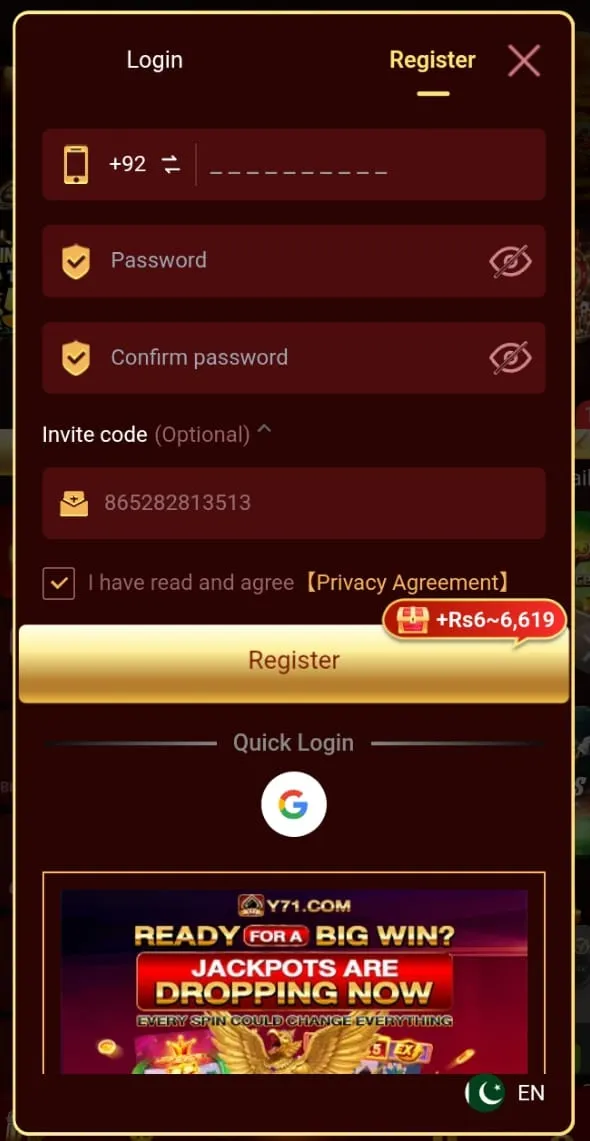
After installing the APK, open Y71 and choose Register / Signup. Pakistani players typically use a mobile number, password, and OTP.
Signup steps
- Tap Register on the welcome screen.
- Enter your Pakistani (+92) mobile number and create a strong password.
- Enter the OTP sent to your phone.
- Add a referral code only if you trust the source (optional).
- Complete any security PIN if the app asks for one.
Login steps
- Open Y71 and tap Login / Sign In.
- Enter the same mobile number and password.
- Complete OTP if prompted.
Safety tips
- Never share OTP, password, or withdrawal PIN with anyone claiming to be support.
- Use the same name as your JazzCash / EasyPaisa account for smoother withdrawals later.
- If login fails, use Forgot Password via OTP — not a third-party "agent."
DOWNLOAD Y71 APK
Official Pakistan site · Play responsibly · 18+ only